Zoho Desk Phone System in Kenya
Connect your business phone system with Zoho Desk to simplify call handling, link customer conversations with support tickets and help your team deliver better customer service.
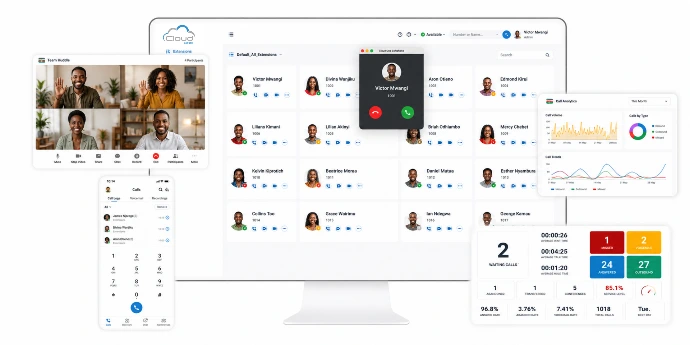
Connect Business Calls with Zoho Desk
When customer calls and support tickets are managed separately, agents can waste valuable time searching for information and updating records manually.
Cloud One helps businesses in Kenya connect their business phone system with Zoho Desk, bringing customer calling closer to everyday helpdesk workflows. With compatible integration features, agents can identify callers, access customer records, log call activity and automate parts of the ticket management process.
Give your support team the tools to handle customer conversations with better context, less repetitive work and a clearer view of customer interactions.
Make Customer Support More Efficient
Identify Callers Before Answering
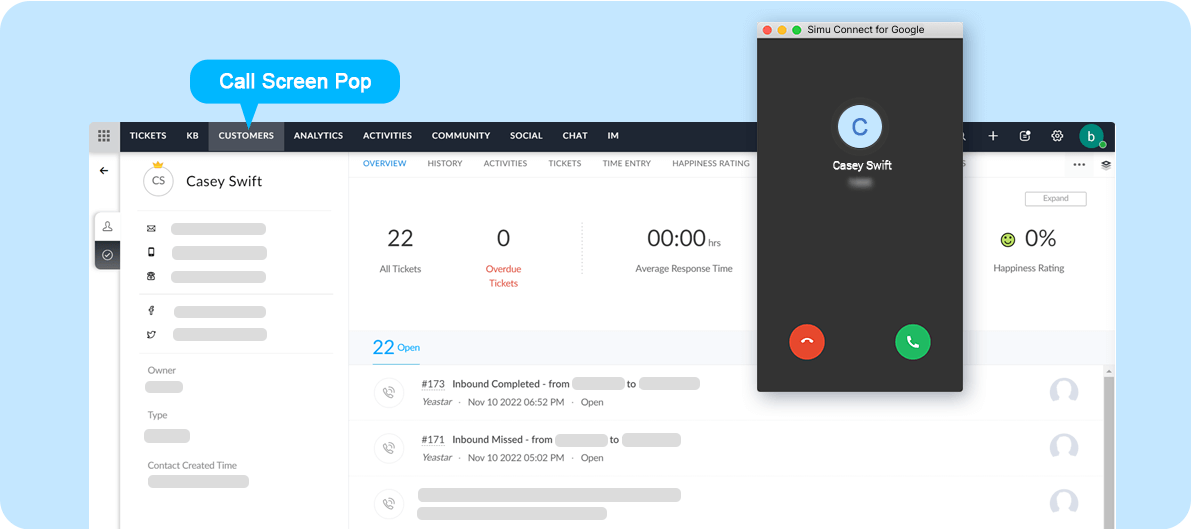
Help agents recognize returning customers with caller identification and supported screen-pop functionality. When a recognized contact calls, the relevant Zoho Desk profile can be displayed, giving agents useful context before or during the conversation.
Create Contacts for Unknown Callers
Help your team keep track of new customer enquiries. Supported configurations can create contacts or accounts for calls involving unknown numbers, making it easier to capture new interactions and follow up on potential opportunities.
Create Support Tickets from Calls
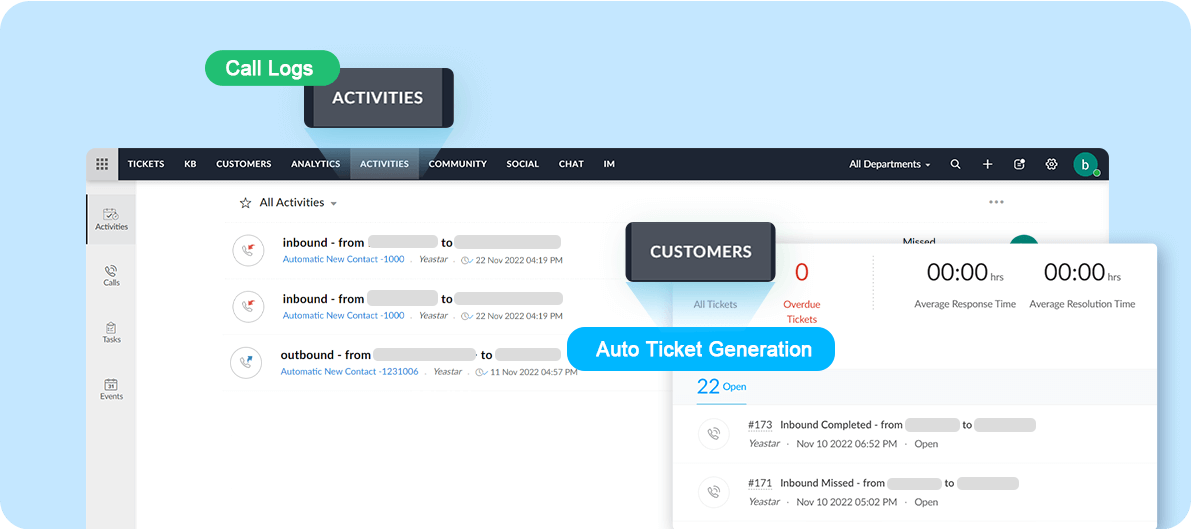
Reduce the administrative work involved in documenting customer issues. Depending on the integration configuration, tickets can be created automatically for eligible inbound or outbound calls and associated with the relevant contact.
Make Calls Directly from Zoho Desk
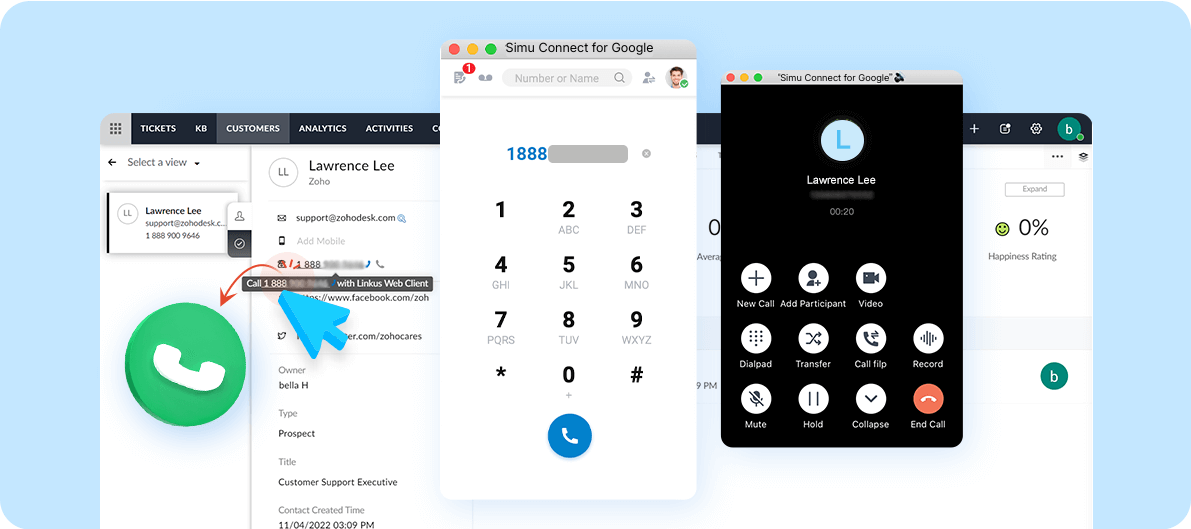
Reduce manual dialing with click-to-call functionality where supported. Agents can initiate calls from detected phone numbers in Zoho Desk through the configured calling client or compatible browser extension.
Automatically Log Call Activity
Keep a clearer record of customer conversations. Supported integrations can log inbound, outbound and missed calls in Zoho Desk, helping agents review previous interactions and follow up more effectively.
Synchronize Customer Contacts
Connect contact information between Zoho Desk and the phone system where supported. This can help agents recognize known callers and display matching names on compatible phones or calling applications.
Who Should Consider Zoho Desk Phone Integration?
Cloud One's Zoho Desk integration is suitable for businesses that want to improve how their support teams manage customer calls, including:
Customer service teams handling frequent inbound enquiries.
Helpdesk agents who need call activity linked to customer records.
IT support teams managing service requests and issue reports.
Businesses that want to reduce manual call logging and ticket creation.
Organisations supporting customers across multiple agents or locations.
Frequently Asked Questions
Yes. Zoho Desk can integrate with compatible business phone systems to support features such as click-to-call, caller identification, call logging and ticket creation. The available functions depend on the selected phone system and integration configuration.
Supported integrations can automatically create tickets for eligible inbound or outbound calls and associate them with customer contacts. Exact behaviour depends on the integration setup and Zoho Desk configuration.
Yes, click-to-call functionality is available with compatible integrations. Depending on the setup, agents can click a phone number in Zoho Desk to initiate a call through the configured calling application.
Compatible integrations can log inbound, outbound and missed calls in Zoho Desk, helping agents review customer interactions and maintain a more complete activity history. Availability may depend on the integration and Zoho Desk plan.
Supported caller identification and screen-pop features can match incoming phone numbers with existing contacts and display the relevant customer information. The precise experience depends on the configured calling client and integration.
Contact Cloud One to discuss your Zoho Desk subscription, business calling requirements and preferred deployment. We can help assess compatibility and determine the appropriate setup for your team.
Get in Touch with Us
Reach out to learn how our Cloud PBX Integration with Zoho Desk streamlines your business interactions.